


Apple’s new Creator Studio Pro arrives with a clear stance: AI should speed up the work creators already want to do, not generate finished projects in their place. It’s a pragmatic middle path in a moment when generative tools are powerful, controversial, and often pitched as shortcuts around human taste and craft.
Assistive AI Takes Center Stage in Creator Studio Pro
Rather than promising push‑button content, Creator Studio Pro leans on AI to chip away at drudgery. Think: auto‑assembling a rough slideshow from notes you’ve already collected, extracting chord progressions from a reference track, surfacing the exact line you need in hours of interview footage via transcript search, or proposing alternative angles and crops for a still image you’ll ultimately fine‑tune. These are the kinds of tasks that consume time but not vision, and Apple is positioning its AI as the reliable assistant that never tires of them.
That matters. Surveys from creative industry groups have consistently found unease with “fully generative” tools trained on artists’ work without consent. Ongoing lawsuits from visual artists against AI developers and organized pushback from film and music unions have underscored the stakes. Apple’s pitch lands closer to augmentation than automation—letting editors, musicians, and designers keep authorship while reclaiming hours.
What the Creator Studio Pro Subscription Includes
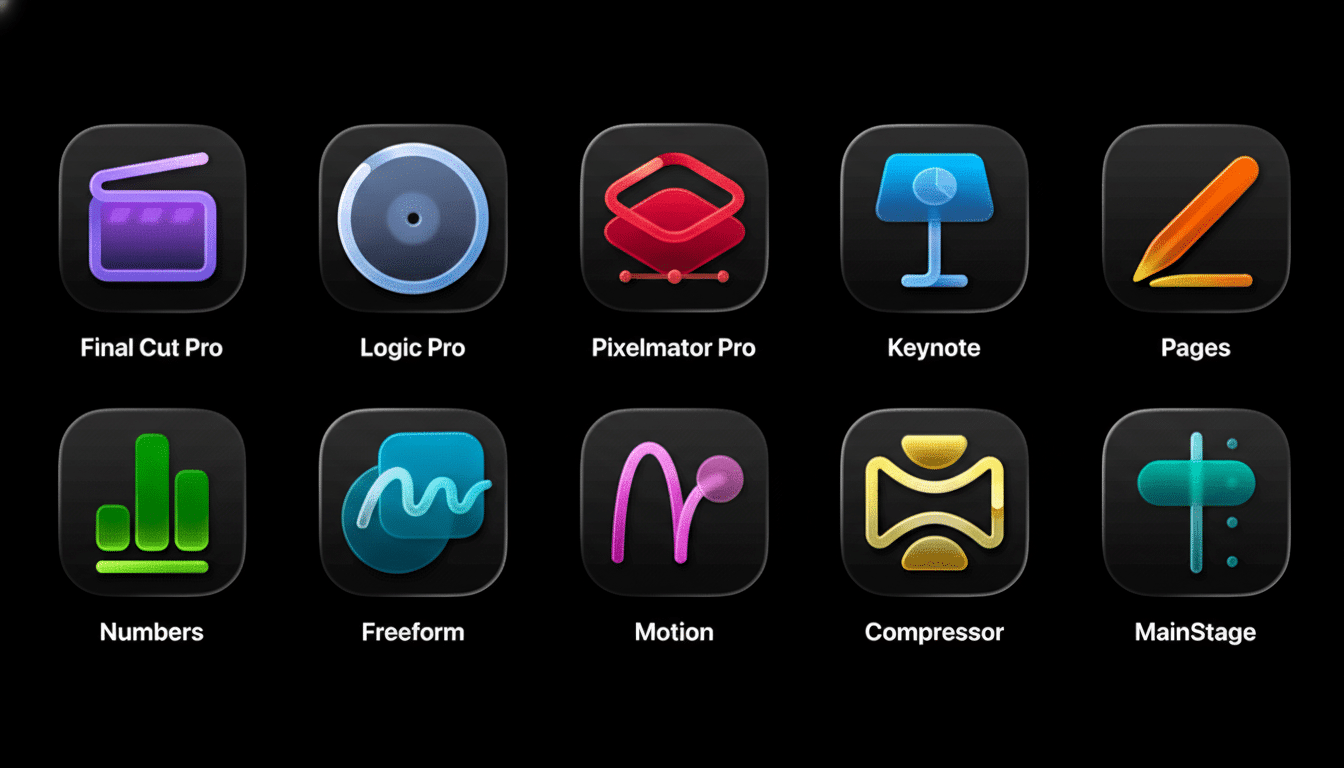
Creator Studio Pro is a subscription bundle priced at $12.99 per month or $129 per year. It packages Apple’s pro‑grade video tools—Final Cut Pro, Motion, and Compressor—alongside Logic Pro and MainStage for music, Pixelmator Pro for image work (including a new iPad app), and premium features layered onto Keynote, Pages, Numbers, and Freeform.
Crucially, Apple isn’t abandoning à la carte buyers. The company says standalone versions of its creative apps will continue to be sold and updated, with the new features rolling out there as well. For households, Family Sharing extends access to up to five family members, and users can cancel at any time. That flexibility stands in contrast to industry norms and signals Apple wants both professionals and ambitious newcomers in the tent.
Privacy and Control by Design Across AI Features
Under the hood, Apple is mixing its own on‑device intelligence with select third‑party models. Features like visual and transcript search in Final Cut Pro run locally, reducing latency and keeping sensitive footage on the machine. For heavier lifts—advanced image generation or auto‑drafted Keynote slides and presenter notes—Apple taps partners such as OpenAI, routing requests through a private relay to anonymize traffic. The company says user content isn’t retained or used to train models, a commitment in line with its broader privacy posture.
That architecture won’t end debates about data rights, but it aligns with what creators say they want: speed and suggestions without surrendering their raw files, style, or creative intent to a remote black box.
How It Stacks Up Against Adobe’s Creative Cloud
The obvious comparison is Adobe’s Creative Cloud, now packed with Firefly generative features and deep integrations across Photoshop, Premiere Pro, After Effects, and Audition. Adobe’s breadth remains unmatched for studio workflows and long‑tail plug‑ins, and its mobile tools run smoothly on Apple hardware. But Apple’s bundle differentiates around price, Family Sharing, and the ability to buy apps outright instead of renting everything forever.
For many solo creators, the calculus is shifting. If you primarily cut social video, assemble podcast clips, score indie projects, or need polished decks to market your work, Apple’s suite covers the essentials and uses AI where it moves the needle most—search, cleanup, and first drafts you’ll refine with taste and judgment. Power users entrenched in Adobe pipelines will weigh feature parity project by project, but Apple just made the “good enough and faster” argument harder to ignore.
Real-World Use Cases for Creators and Editors
A documentary editor can ingest days of interviews, then query Final Cut Pro for every mention of a theme and jump straight to the clips—no more manual scrubbing. A wedding filmmaker can auto‑pull a highlight reel and then fine‑cut it, saving hours on assembly edits. A songwriter can drop a demo into Logic Pro, extract chords, and iterate harmonies without pausing the creative flow. A marketer can turn meeting notes into a draft Keynote, then rewrite slides and speaker notes in their own voice.
These are incremental wins, but they compound. McKinsey’s research has suggested that generative AI could automate tasks representing a large share of time across knowledge work. In creative fields, where deadlines are tight and budgets thinner, shaving minutes from dozens of micro‑tasks often determines whether an idea ships at all.
Why Apple’s Framing Matters to Today’s Creators
The creator economy has ballooned in recent years, with millions of people now producing video, music, and design assets across social platforms and marketplaces. Many want help getting from blank page to draft or from messy archive to findable clips—without ceding style or ownership. By explicitly casting AI as assistive, Apple is speaking that language and avoiding the trap of one‑click sameness that can make content feel generic.
Apple’s bet is simple: the best AI disappears into the workflow, quietly clearing the runway so humans can make the final call. Creator Studio Pro doesn’t reinvent what it means to edit, compose, or design—but if it trims the friction around those acts, it will earn its place on the dock.