


Android’s new Intrusion Logging is quietly landing on select devices, giving users a forensic-style timeline of what happened after a break-in. The opt-in feature, built into Android 16, records key security events so you can reconstruct suspicious activity, spot unauthorized access, and share evidence with a professional if needed.
What Android Intrusion Logging Captures and Records
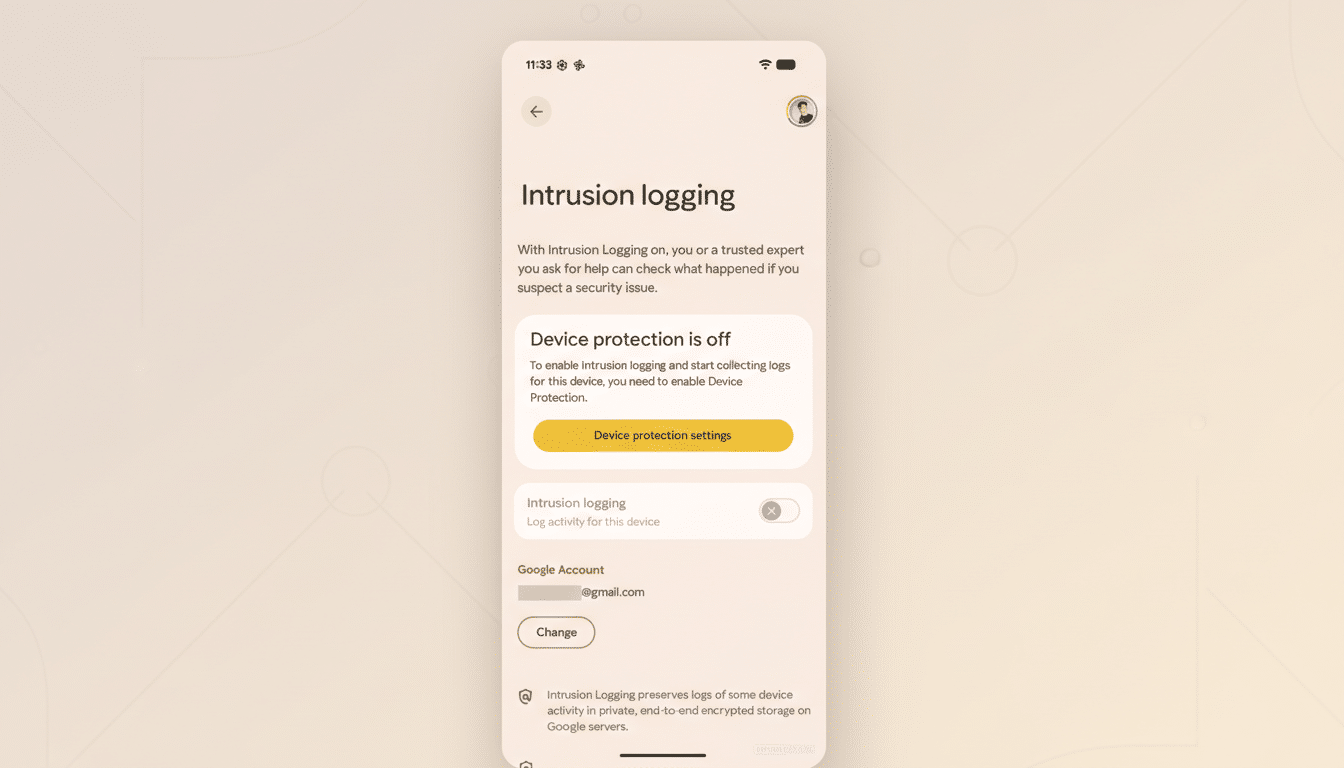
Once enabled, Intrusion Logging keeps a secure record of high-signal events that typically accompany compromise.
- App installs and removals
- Screen unlocks
- Device and accessory connections
- Portions of browsing activity tied to security risk
If an attacker sideloads malware, pairs a rogue Bluetooth accessory, or repeatedly unlocks your screen at odd hours, those traces appear in the log.
The design goal is context. Instead of guessing what an intruder did, you can review a chronological feed: when an app was added, which connection was made, or when a sensitive action occurred. Logs can be downloaded to your device, making it easier to hand off to a security analyst or IT team.
Where to Find Intrusion Logging and How It Works
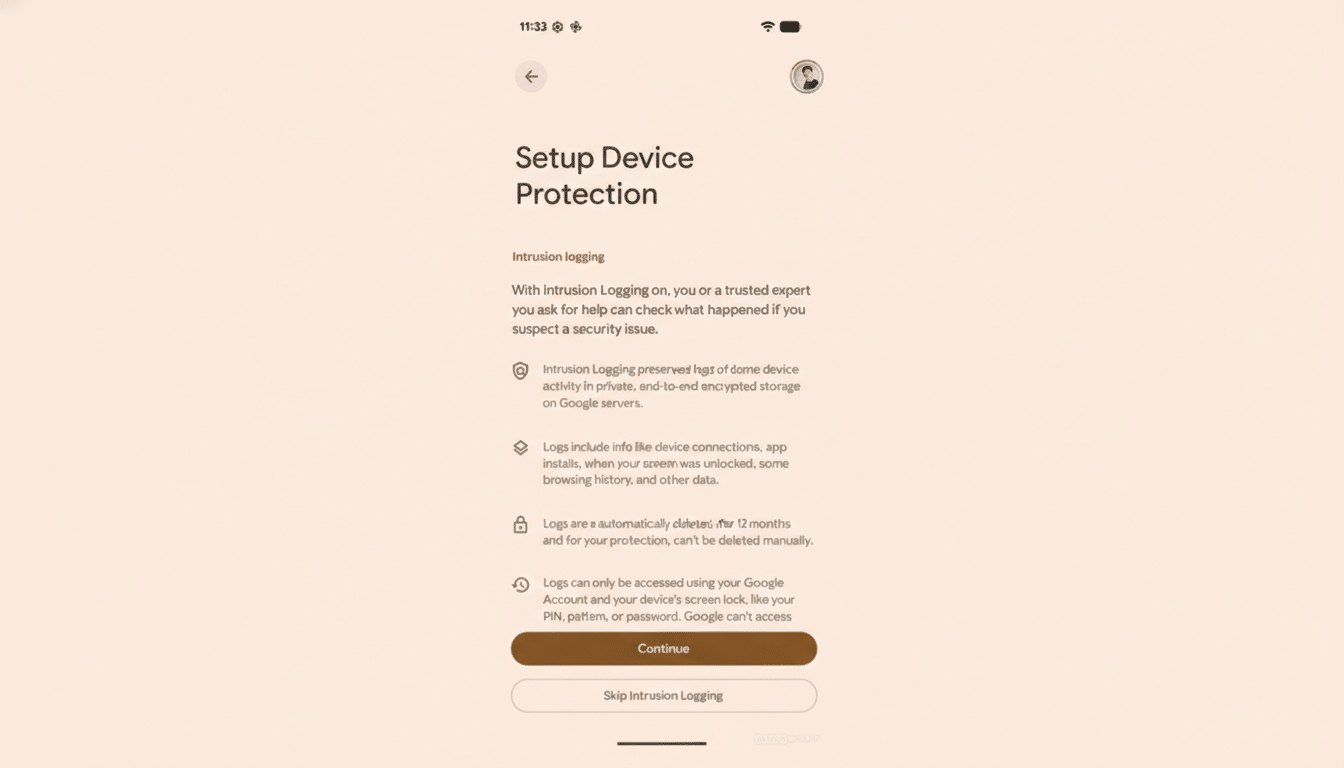
You’ll see Intrusion Logging offered during the setup of Device Protection and within the system’s Advanced Protection area. It’s opt-in, and you can skip it. Turn it on, and Android begins recording specified security events behind the scenes.
Google stores these records with end-to-end encryption tied to your account, limiting access to you and any trusted account you designate. Retention is capped at 12 months, and early deletion isn’t supported, a deliberate safeguard that prevents an attacker from erasing their tracks if they briefly gain control.
Early Availability and Supported Devices for Rollout
The feature is starting to appear on devices running Android 16. Users have reported seeing it on hardware such as the OnePlus Pad 3 and on some Pixel phones with the latest quarterly platform release. As with most Android features, rollout is staged, and availability can vary by region, carrier, and manufacturer skin, so some devices will get it sooner than others.
Why Intrusion Logging Matters for Your Mobile Security
Once a phone is unlocked—through theft, shoulder surfing, or social engineering—attackers can move quickly. They might transfer accounts, change recovery options, or install surveillanceware. Security groups like the Electronic Frontier Foundation have long advised users at higher risk, such as journalists and activists, to maintain strong device hygiene and be ready to audit activity after suspicious incidents.
Intrusion Logging brings that audit capability to the operating system itself. It aligns with guidance from organizations like NIST that emphasize the value of tamper-evident audit trails for incident response. Even for everyday users, a trustworthy record can be the difference between catching a malicious app in hours instead of days.
Practical Use Cases and Expert Security Advice
If your phone goes missing and later reappears, Intrusion Logging helps you verify whether it was accessed and how. In cases of SIM swap attempts, phishing-triggered unlocks, or account hijacks, the log can highlight the first indicators of compromise—unexpected app installs, unusual pairing attempts, or repeated unlocks after you thought the device was idle.
Security practitioners recommend acting fast when the log shows anomalies:
- Revoke app permissions
- Remove unknown apps
- Rotate passwords and passkeys
- Review account recovery settings
- Check sign-in alerts from major services
Exporting the log gives you a portable dossier to share with a company help desk, a managed security provider, or, in severe cases, law enforcement.
Privacy and Data Handling for Intrusion Logging
Because audit logs are sensitive by nature, Android’s approach leans heavily on encryption and a limited retention window. The end-to-end protection ensures that Google can store the data without having access to its contents, and the fixed 12-month lifespan reduces the long-term privacy footprint.
It’s also worth noting what Intrusion Logging is not: it isn’t a full recording of everything you do, and it doesn’t replace strong fundamentals like a long device PIN, on-device biometrics, and phishing-resistant authentication. Consider it a black box for your phone—quiet until you need it, then invaluable when reconstructing what went wrong.
If your device is on Android 16, check your security settings to see if Intrusion Logging has arrived. Opting in now means you’ll have a trusted paper trail if you ever need to investigate a break-in later.