


Android just flicked the switch on one of its biggest Bluetooth upgrades yet: it’s rolling out a broadcast feature called Auracast, which builds on top of Bluetooth LE Audio, to more phones and earbuds at no extra cost. The result is straightforward but profound — both your phone can broadcast audio to multiple listeners at once and you can tap into public broadcasts at participating venues with regular old wireless earbuds.
What changed on Android
Google’s baked-in support for Bluetooth LE Audio and Auracast is going a bit wider across new Android experiences, with simplified controls like an Audio Sharing tile and QR-style joining. They’re only enabled on the phone end, and include models like the Google’s Pixel 8 (and beyond), the Samsung Galaxy S23 and S24 families, and modern Galaxy Z Folds. LE Audio features are also supported on select Xiaomi and Poco devices (region- and carrier-dependant).
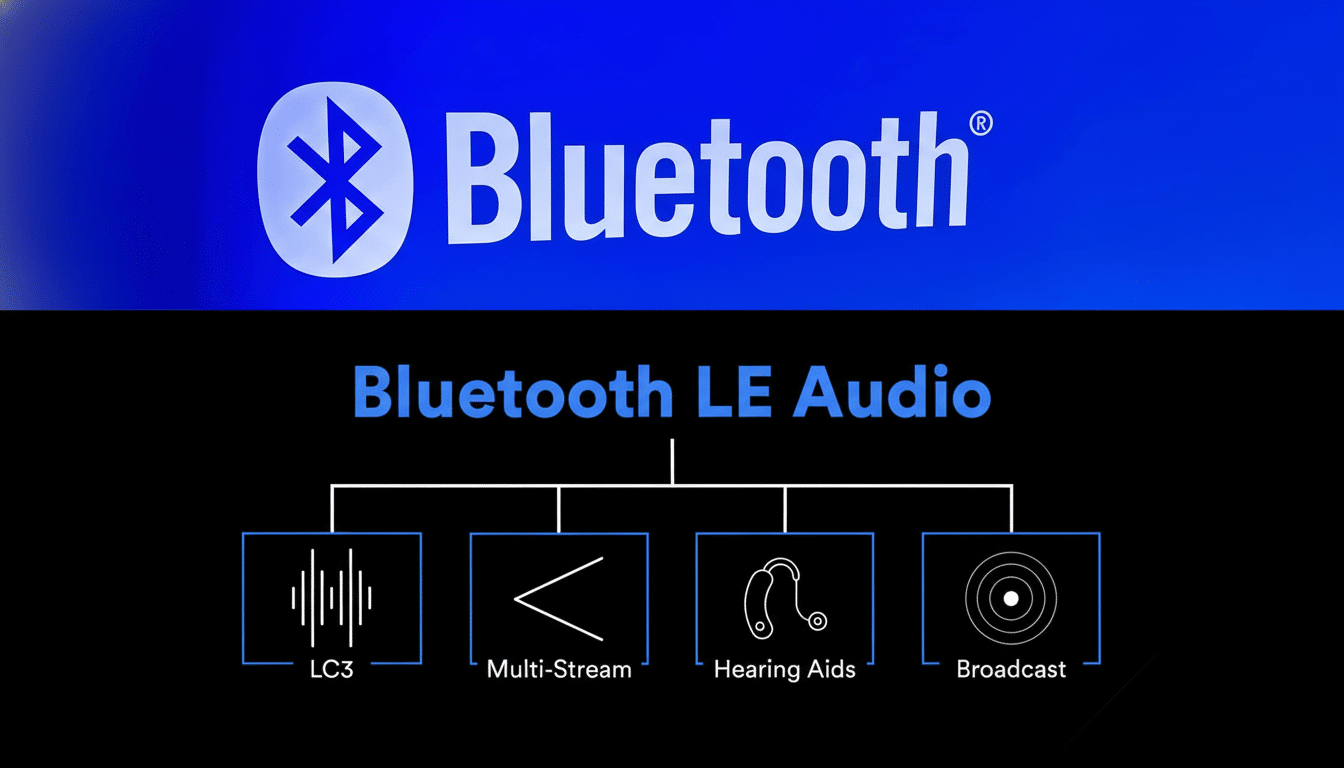
On the headphone front, a few new – and newly updated – models are now added to it. Think Samsung’s Galaxy Buds 3 Pro, JBL’s Tour One M3, Sennheiser’s Accentum True Wireless, and Sony’s WF‑1000XM5. We continue to see manufacturers issue firmware updates that add LE Audio and, in some cases, Auracast reception. There is an Auracast device list that’s kept by the Bluetooth Special Interest Group (Bluetooth SIG), and new models are being certified every quarter.
Plain English auracast explained
Auracast allows one device to cast audio to multiple receivers simultaneously. Rather than pairing with each individual listener, your phone sends a single stream that compatible earbuds, headphones or hearing aids can link to. It’s based on Bluetooth LE Audio and the LC3 codec which is a better sounding but lower bitrate codec than SBC, which is, in theory, more efficient and helps with battery life.
Public broadcasts are supported in addition to sharing privately with friends on Auracast. Think TVs at the gym, airport gate announcements, audio description tracks at the theater, museum exhibits. You “tune in” with the sound of your own earbuds, frequently by scanning a QR code that’s posted at the venue. To standardize signage and join process, Bluetooth SIG has been collaborating with audio and venue partners.
How to try it
First off, make sure your phone is running the most recent Android version and check if there are any firmware updates available for your earbuds or headphones. Then:
- Go to Settings > Bluetooth on a supported phone and look for options called LE Audio or Audio Sharing/Auracast. Some on-board a Quick Settings tile called Audio Sharing can also be found on some devices.
- Begin a broadcast from your phone. Scanning a QR code on your screen or Fast Pair prompts for nearby friends with compatible earbuds get them in the mix.
- All you need is to control is your very own volume on your earbuds. Your phone makes only one broadcast, meaning you don’t have to juggle a bunch of connections and pairing profiles.
Real-world example: two passengers on a flight can watch the same movie on a single phone with their own earbuds connected independently. It’s a one-to-many broadcast, which makes it more power-friendly than maintaining two independent classic Bluetooth streams.
Public broadcasts and accessibility
You’ll see Auracast signs or a QR code at participating venues — gyms, airports, museums, theaters — near a screen or counter. Scan it in to have the audio play quietly on your own earbuds. This is kind of a modern version of the old “TV ears” or local FM transmitters, without additional hardware.
The accessibility upside is significant. Hearing aids that support LE Audio have the capability to listen in on Auracast broadcasts directly, meaning less reliance on neck loops or venue-specific receivers. More than a billion people live with some form of hearing loss, according to the World Health Organization, and features like Auracast can help make everyday environments more accessible by providing clearer, personal audio with less background noise.
Compatibility and caveats
There has to be support on both sides for LE Audio: your phone for transmitting, and the earbuds or hearing aids for receiving. The feature itself will not show up if either device does not have Auracast. Scan your hardware specs and release notes for references to “LE Audio,” “LC3” or “Auracast,” and make sure to check for firmware updates from your manufacturer.
Venue adoption will take time. While phone and earbud support is outpacing public broadcast infrastructure, it still relies on venues to upgrade their audio systems. Bluetooth SIG’s market updates report billions of Bluetooth devices shipped annually and LE Audio is an increasing portion of that ecosystem, but the installed base of old gear means rollouts will be slow.
Why this upgrade matters
- Battery efficiency: LC3 can deliver good sound over lower bitrates, potentially reducing power draw on not only phones but also earbuds compared with classic Bluetooth audio.
- Easier sharing: A tap and you’re broadcasting, not passing around pairing dialogs. It’s also brand-agnostic, so you’re not tied into any particular ecosystem.
- Improved public audio: Clearer airport announcements or the audio from the gym TV in your earbuds, rather than in everyone else’s.
If your phone and buds are both new, you actually might already have Auracast and not even know it. Update, seek out the Audio Sharing option and see if you can broadcast a playlist with a friend. It’s the kind of quiet upgrade that immediately feels obvious — and once you start using it, you’ll never want to go back.