


Android’s new Live Updates are the rare kind of feature that instantly clicks. They surface time-critical, contextual information—like your next turn, an incoming ride’s ETA, or a boarding gate change—right where your eyes already are. It’s smart, subtle, and incredibly useful. Yet for all the polish, there’s a nagging worry: adoption is sluggish, and history suggests that brilliant Android APIs can fade when developers and even Google’s own apps don’t fully commit.
In day-to-day use, Live Updates feel like the most “Android” thing Android has shipped in a while: lightweight cues that follow you across apps, the lock screen, and even the always-on display. The implementation is elegant. The momentum, less so.
- What Live Updates Get Exactly Right For Android Users
- But The Apps Aren’t Showing Up To Support Live Updates
- Why Developers May Be Hesitating To Build Support
- The iOS Contrast And A Missed Opportunity
- How Google Can Save A Great Idea With Real Adoption
- The Stakes For Users And The Android Platform At Large
What Live Updates Get Exactly Right For Android Users
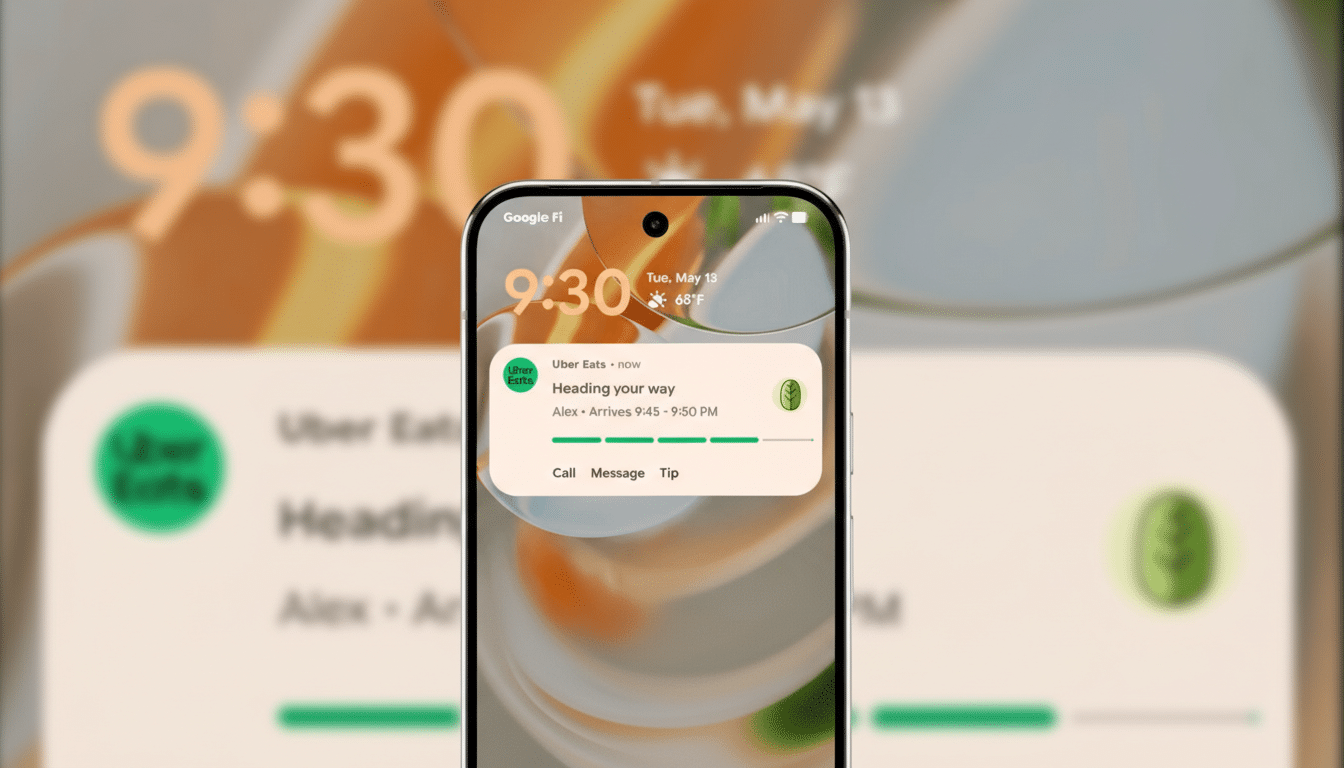
The promise is simple: priority, glanceable notifications that persist wherever you are in the interface. Start navigation and you get a tidy status-bar chip with your next turn or stop; tap it for a richer progress card. When you’re walking or riding transit, that glance-and-go flow means you don’t have to keep reopening Maps or babysitting your screen. While driving, it adds traffic context so a passenger can keep tabs without bouncing between apps.
Crucially, these alerts sit above the clutter. They live at the top of the notification shade, on the lock screen alongside media controls, and on the always-on display. That consistency is the differentiator: you can keep doing whatever you’re doing, glance, and move. No fiddling, fewer missed turns, fewer missed stops.
But The Apps Aren’t Showing Up To Support Live Updates
Despite the clear utility, only a handful of big names support Live Updates today. Google Maps leads the way. Ride-hailing services like Uber and Lyft generally play nice. Some food-delivery apps participate. Beyond that, it’s a patchwork of niche tools and open-source experiments.
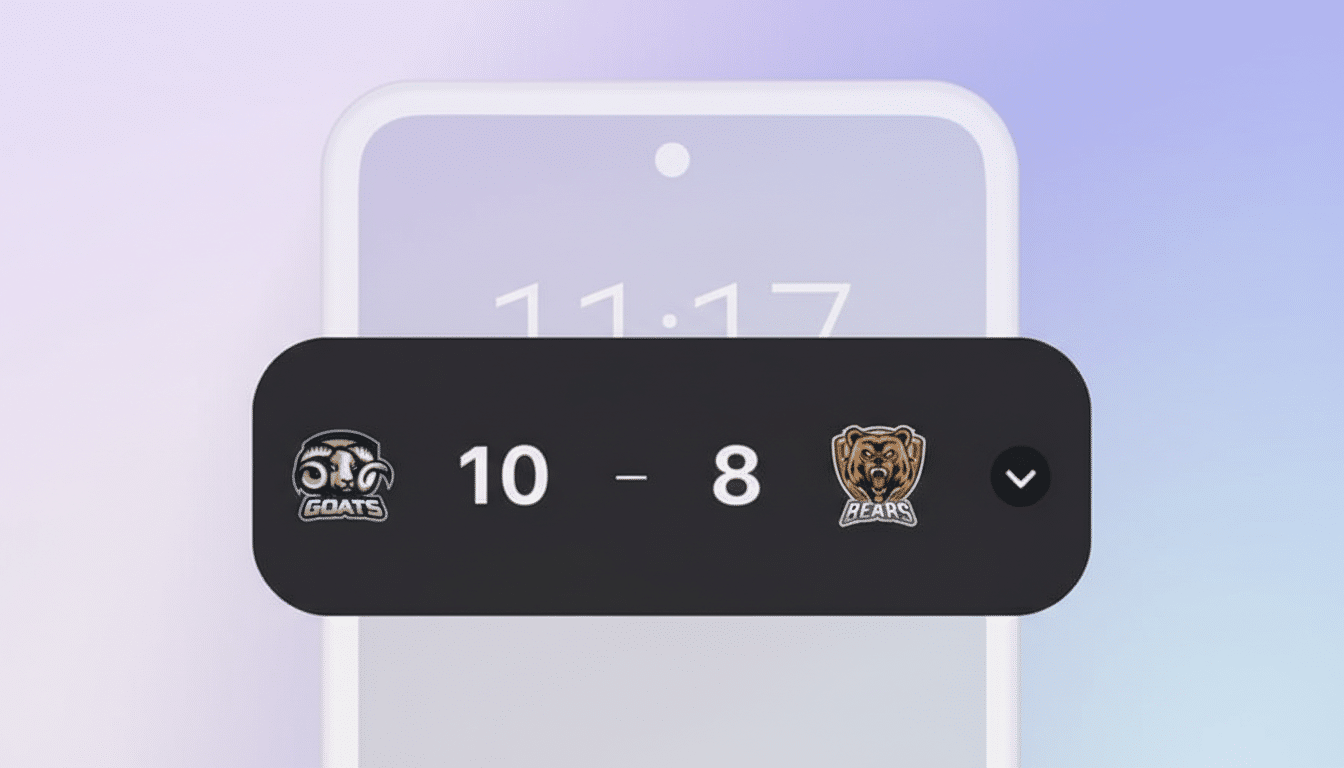
What’s more alarming is the gap inside Google’s own portfolio. The Clock app doesn’t elevate timers or a running stopwatch. The Google app sidesteps Live Updates for sports with a clunkier floating bubble. Google Home doesn’t raise persistent alerts for Nest timers. Even the Play Store misses an obvious chance to surface download progress. Google Wallet theoretically supports travel and event passes, but many travelers report inconsistent behavior. That inconsistency breeds doubt—and doubt kills momentum.
Why Developers May Be Hesitating To Build Support
First, fragmentation is real. OEM skins and lock screen behavior vary across Samsung’s One UI, Xiaomi’s HyperOS, and others, and anything that touches the always-on display invites testing overhead. Android’s background execution limits and foreground service rules, refined to protect battery life, also make real-time surfaces trickier to implement and maintain.
Second, product calculus matters. Teams already support rich notifications, widgets, and, on iOS, Live Activities. Building and QA-ing yet another surface pays off only if it reaches enough users. The Android Platform Distribution dashboard historically shows that new versions take time to propagate, which can stall ROI for features tied to the latest APIs.
Finally, trust is earned. Developers remember promising initiatives that fizzled: Slices offered deep, contextual actions in Search and Assistant; Bubbles were meant to standardize chat-head style multitasking. Both saw limited real-world traction. Without visible, sustained first-party adoption, teams are wary of another entry in Android’s API graveyard.
The iOS Contrast And A Missed Opportunity
On iOS, Live Activities found a fast track thanks to prominent placement on the Lock Screen and Dynamic Island, plus aggressive showcasing by Apple. Travel, sports, and delivery apps jumped in early because the user benefit was obvious and the platform spotlight was bright. Analytics firms like data.ai and Sensor Tower have noted strong uptake among top consumer apps there, creating a virtuous cycle: more apps build because users expect it, and users expect it because more apps build.
Android has a similar user value proposition—and arguably more surface area with the always-on display—but hasn’t matched the platform push. The result: a feature that delights when it appears, and disappears most of the time.
How Google Can Save A Great Idea With Real Adoption
Lead by example. Dogfood Live Updates across Google’s own apps where they’re an obvious fit: Clock, Google Home, Play Store, Messages, Wallet, and the Google app for live scores. When users see them daily, they’ll start to expect them elsewhere.
Lower the implementation tax. Ship robust Jetpack components and Compose samples that make Live Updates nearly plug-and-play, with clear guidance on states, icons, and accessibility. Provide compatibility fallbacks for older OS versions so product teams can justify the work now.
Incentivize adoption. Feature early movers in Play Store collections, offer technical support through the Android Developer Relations team, and publish success metrics—engagement lifts, reduced task-switching, improved completion rates—from Google’s own apps. The Android Developers Blog and I/O sessions should make Live Updates a headline story, not a footnote.
The Stakes For Users And The Android Platform At Large
Live Updates embody what mobile UX should be: helpful, ambient, and respectful of attention. If Google and developers rally, this becomes a daily habit for navigation, rides, deliveries, flights, sports, and more. If not, it risks joining the pile of “great on paper” features that never reached their potential.
Right now, the feature is amazing when it shows up—and conspicuous by its absence the rest of the time. The window to turn promise into expectation is open. It would be a shame to watch it close.