


The Apple Mac mini with the M4 chip is on sale for $479 at Amazon, down from $599. That puts the tiny desktop less than $10 from its all-time low, according to third-party price trackers, and makes it among the most affordable on-ramps to Apple’s latest silicon.
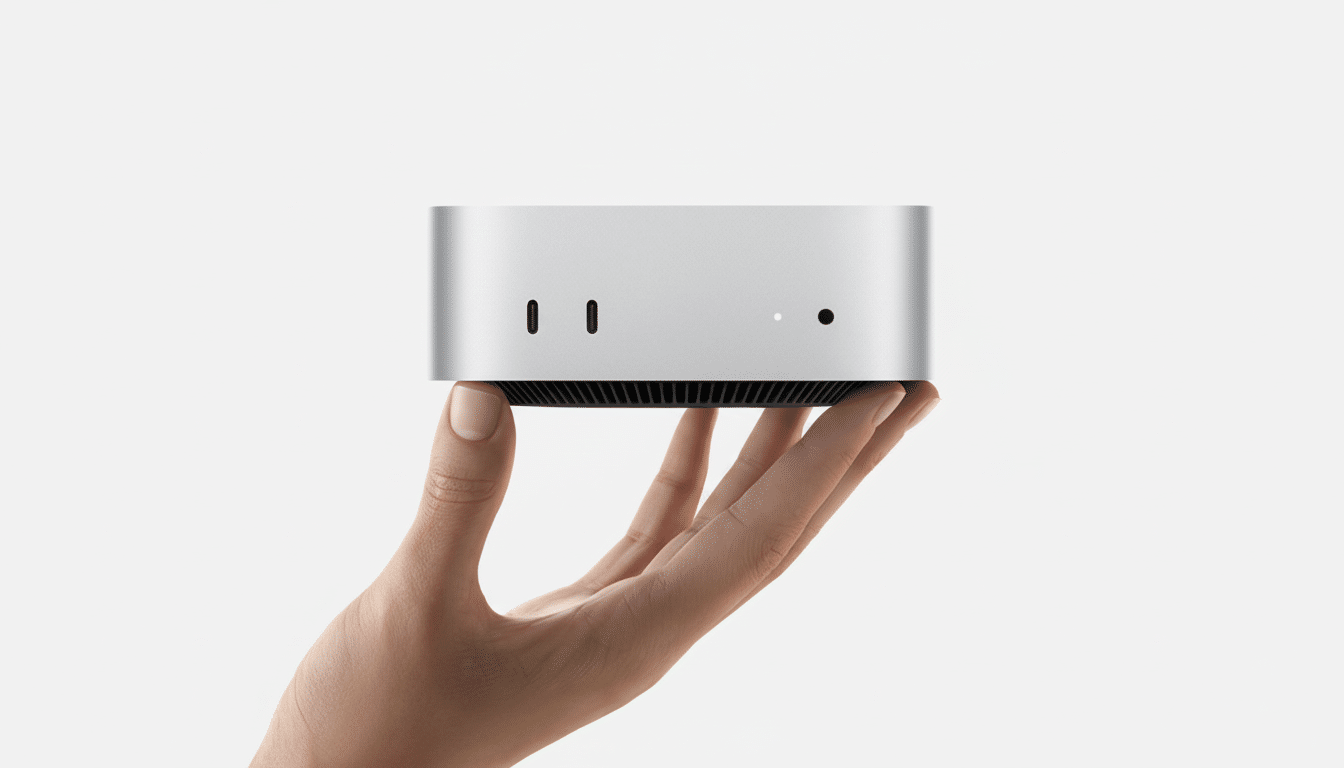
That configuration is new this round, marrying the 10‑core CPU and 10‑core GPU with a newly upgraded 16GB of unified memory and a more capacious 256GB SSD. It’s in the refreshed chassis that features an easier-to-access front-facing USB‑C port and headphone jack.
If you’ve been resistant to buying a modern Mac that will consume your desk — and your budget — here’s what you’ve been waiting for.
What this Amazon deal does and does not include
For $479, you get Apple’s latest desktop-class M4 architecture packed into a machine that can handle everyday work, creative apps, and on-device AI under the Apple Intelligence umbrella. As it is, the 16GB unified memory tier is a sweet spot for multitasking, code compiles, Lightroom libraries, and dozens of browser tabs, and the 256GB SSD handles the operating system and core apps.
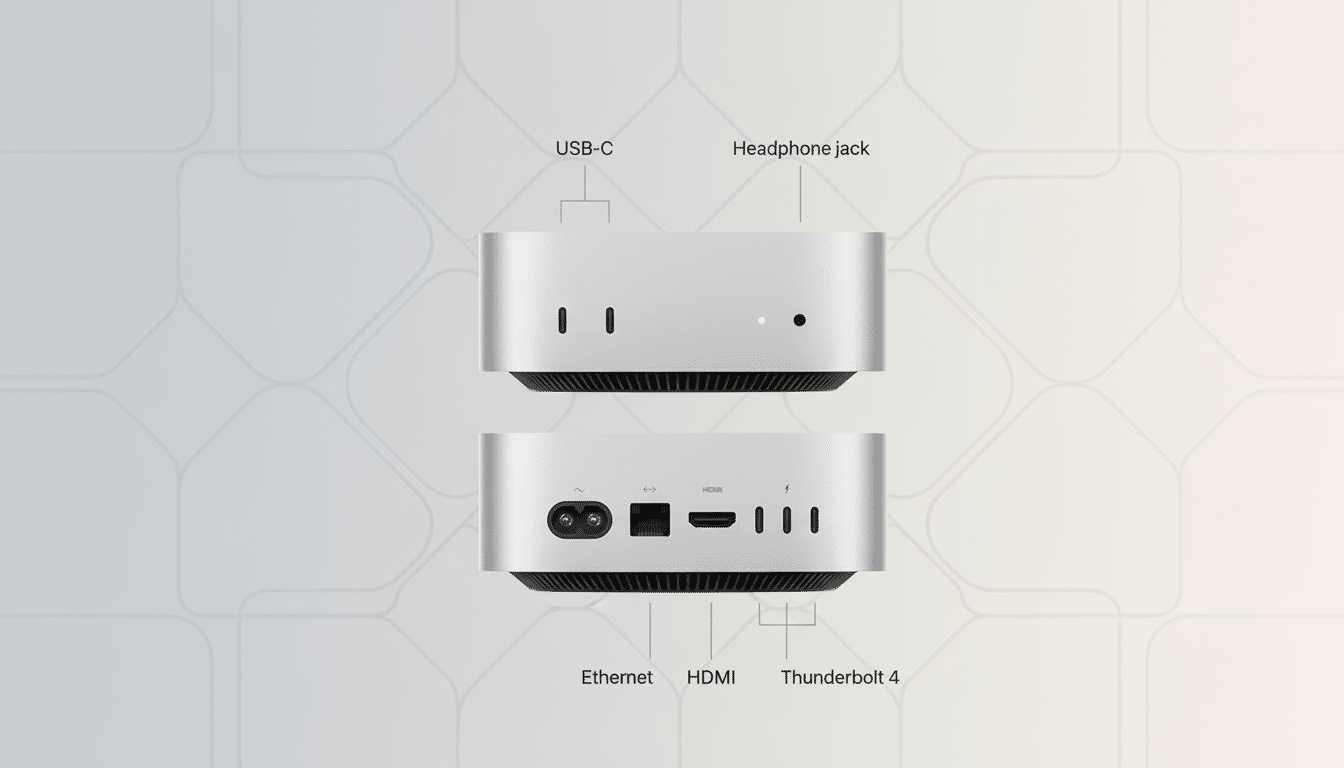
The headline design change is right at the front: a USB‑C port and a headphone jack are now front-facing, meaning less fancy footwork with connecting and disconnecting peripherals. You’ll still find high-speed Thunderbolt for displays and storage around back, along with HDMI for direct monitor hookups, Ethernet for rock-solid networking, and more USB ports to support your older gear.
Why you should consider the M4 Mac mini now
Apple’s M4 moves up performance and efficiency on a 3nm process, but the more significant upgrade is how well-balanced it feels. The 10‑core CPU rips through single-threaded work and scales smoothly to multi-core workloads; the 10‑core GPU adds hardware ray tracing and improved graphics pipes that enhance everything from UI animations to GPU-accelerated timelines in apps like Final Cut Pro or DaVinci Resolve.
For Apple Intelligence highlights, M4 has a Neural Engine rated at 38 TOPS, translating into faster on-device transcription, image generation, and context-aware actions without sending your personal data to the cloud. Early synthetics from testing outfits like Geekbench and real-world reviews from publications like AnandTech indicate a material improvement over previous Apple silicon generations, particularly in image processing and code builds, with strong single-core leadership.
The media engine is another perk. With hardware acceleration for H.264, HEVC, and ProRes, it also cuts down export times dramatically—and limits fan noise and power draw during long renders. That’s one reason lots of editors use a Mac mini as a dedicated ingest or proxy box under their main monitor.
Value compared with laptops and older Mac minis
For a fraction of the cost you would pay for a MacBook Pro with the same-generation chip, this offers near-identical compute if you provide your own monitor, keyboard, and mouse. That makes it appealing to home offices, labs, and creative studios where desktop power takes precedence over portability.
Coming from an Intel‑era Mac mini or even an M1/M2 base model, you’re looking at double-digit improvements in performance for CPU and GPU workloads, added power for AI‑accelerated tasks, and a tauter feel under heavy load. Beyond raw speed, the M4 mini’s idle and sustained efficiency can save energy versus older desktops—a subtle advantage that grows for small businesses with multiple machines, as industry analyses from groups like IDC have pointed out about the overall transition to efficient silicon.
Who should buy it and key factors to consider
For students, developers, and creators who live in Xcode, Affinity, Adobe, or Logic, this setup strikes a useful balance of memory and compute headroom. It’s also a fine “anchor Mac” for households—fast enough for family photo libraries, light video editing, and the modern web, and compact enough to vanish under a display arm.
Two caveats:
- The 256GB SSD will fill up fast if you’re working with large media files or virtual machines.
- The Mac mini doesn’t come with peripherals.
The easy fix is external NVMe storage via Thunderbolt/USB4 for project files and caches; most pros run their libraries off fast external drives anyway, leaving the internal storage for apps and scratch. Also take a look at your display requirements — the Mac mini is capable of powering multiple monitors through its Thunderbolt and HDMI connectors, but make sure cable standards and refresh rates are matched so you don’t encounter bottlenecks.
Bottom line: is the $479 M4 Mac mini deal worth it?
This $120 discount puts the M4 Mac mini into impulse-buy range for anyone in the market for a capable, quiet, and up-to-date desktop.
With front-facing ports, robust AI acceleration, and performance that can hold its own versus much pricier laptops, at $479 it’s a no-brainer recommendation — especially if you’ve got a set of peripherals you can use instead of buying new ones and grab external storage as your projects grow.