


Adobe has walked back plans to discontinue Animate, saying the 2D tool will remain available and shift into maintenance mode. The company will deliver security and bug fixes but pause new feature development, a reversal that follows a wave of criticism from animators, educators, and studios who rely on the software for everyday production.
What Maintenance Mode Means for Animate Users
The new posture keeps Animate accessible to both current and new customers with no cutoff date. In practice, maintenance mode signals stability rather than growth: Adobe will address vulnerabilities and critical defects, but users should not expect major updates, workflow overhauls, or tool additions.
Adobe had originally told customers it would stop new sign-ups and wind down support on a fixed timeline, with extended access for enterprise deployments. After reconsideration, the company clarified on its support channels that there is no end-of-life deadline and that customer content will remain accessible. Licenses, installs, and file workflows continue uninterrupted.
For teams, the practical takeaway is to treat Animate as a stable but frozen part of the pipeline. Plan around current capabilities—exporting to HTML5 Canvas, WebGL, video via Media Encoder, and sprite sheets—rather than anticipating future features.
Community Outcry Drove the Animate Turnaround
Backlash landed quickly across Reddit, X, and industry forums as animators described the original sunset plan as disruptive and unnecessary. Creators behind popular web series, including Chikn Nuggit and Salad Fingers, publicly warned that a forced migration would upend ongoing productions and jeopardize back catalogs tied to Animate project files.
Adobe’s community team acknowledged the confusion and apologized to users, noting that the initial communication fell short. The revised guidance, published on the company’s support page and reiterated by staff in community threads, emphasizes continuity of access and an open-ended timeline.
Why Animate Still Matters for 2D Creators Today
Animate traces its roots to the Flash Professional era more than 25 years ago, later pivoting to modern standards as Flash Player was retired and browser support ended in 2021. The application evolved into a vector-first, timeline-driven tool for 2D animation that exports to web and video formats, and it remains embedded in workflows for web cartoons, interactive ads, e-learning modules, and indie games.
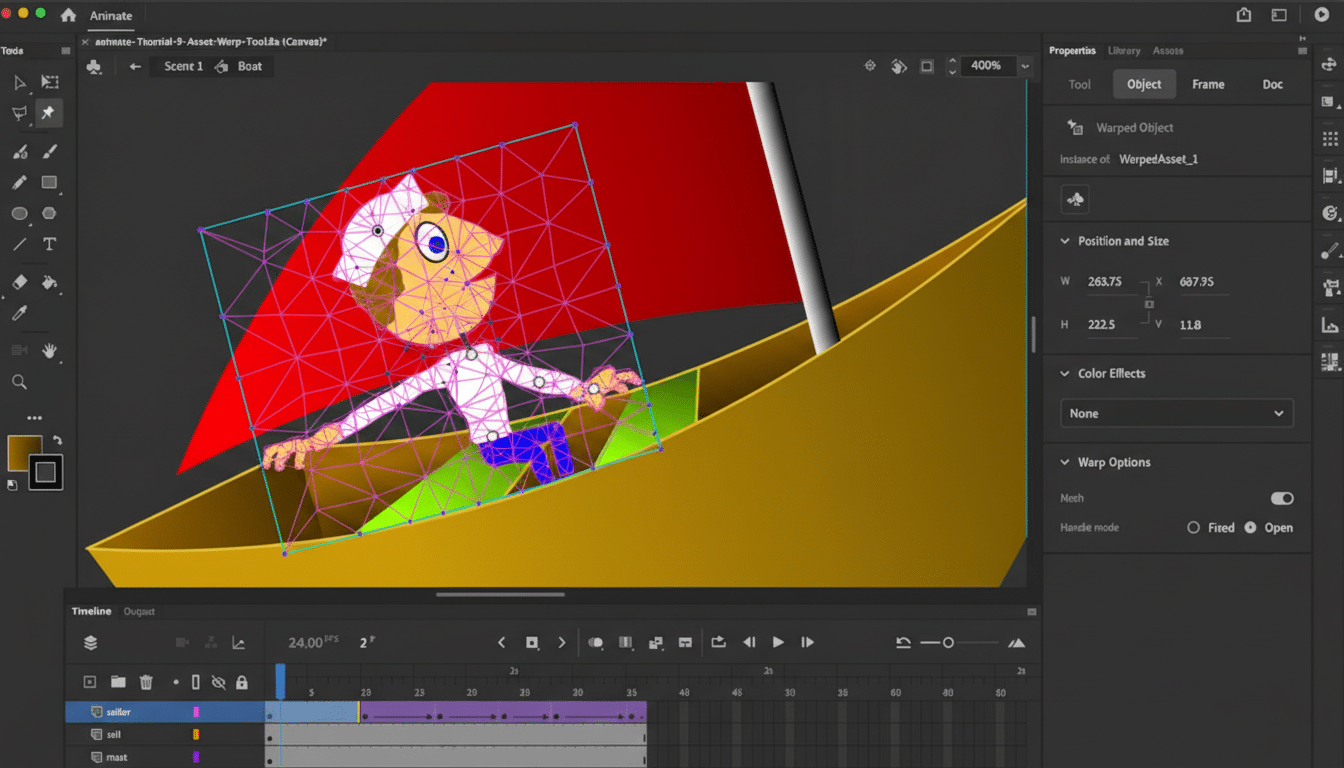
Its appeal is practical: the drawing tools are fast, the timeline is approachable for traditional animators, and the output targets—HTML5 Canvas, MP4, and sprite sheets—fit common distribution paths. Many schools still teach Animate because it lowers the barrier to entry for students while remaining compatible with professional pipelines.
How the Decision Fits Adobe’s Product Strategy
Adobe has been steering resources toward motion graphics, video, and AI-assisted creation across Creative Cloud. The company has pointed animators toward After Effects for complex keyframing and toward Adobe Express for lightweight motion on social content. Character Animator remains the go-to for performance capture and puppet rigs, while Firefly-powered features are spreading across apps to accelerate repetitive tasks.
Keeping Animate in maintenance mode signals Adobe’s desire to support legacy and education users without fragmenting its investment across too many overlapping tools. It’s a compromise: preserve entrenched workflows and institutional knowledge, but nudge new projects toward products where development is accelerating.
Practical Next Steps for Teams Using Animate
Treat maintenance mode as a green light for stability but plan for optionality. Audit current Animate projects, note required extensions or scripts, and document version numbers across teams to avoid surprises. Build a backup routine for FLA and asset files, and test exports to durable formats (HTML5 Canvas, MP4, PNG sequences) to reduce lock-in.
If you anticipate advanced rigging or effects work, prototype the same shots in After Effects or a dedicated 2D suite such as Toon Boom Harmony or Moho to evaluate parity. For education, keep curricula intact for now, while introducing bridge units that teach cross-application workflows and asset interchange.
The message from Adobe is clear: Animate is not going away, but it’s no longer a moving target. For creators, that certainty—combined with time to plan migrations on their own terms—was exactly the outcome the community demanded.