


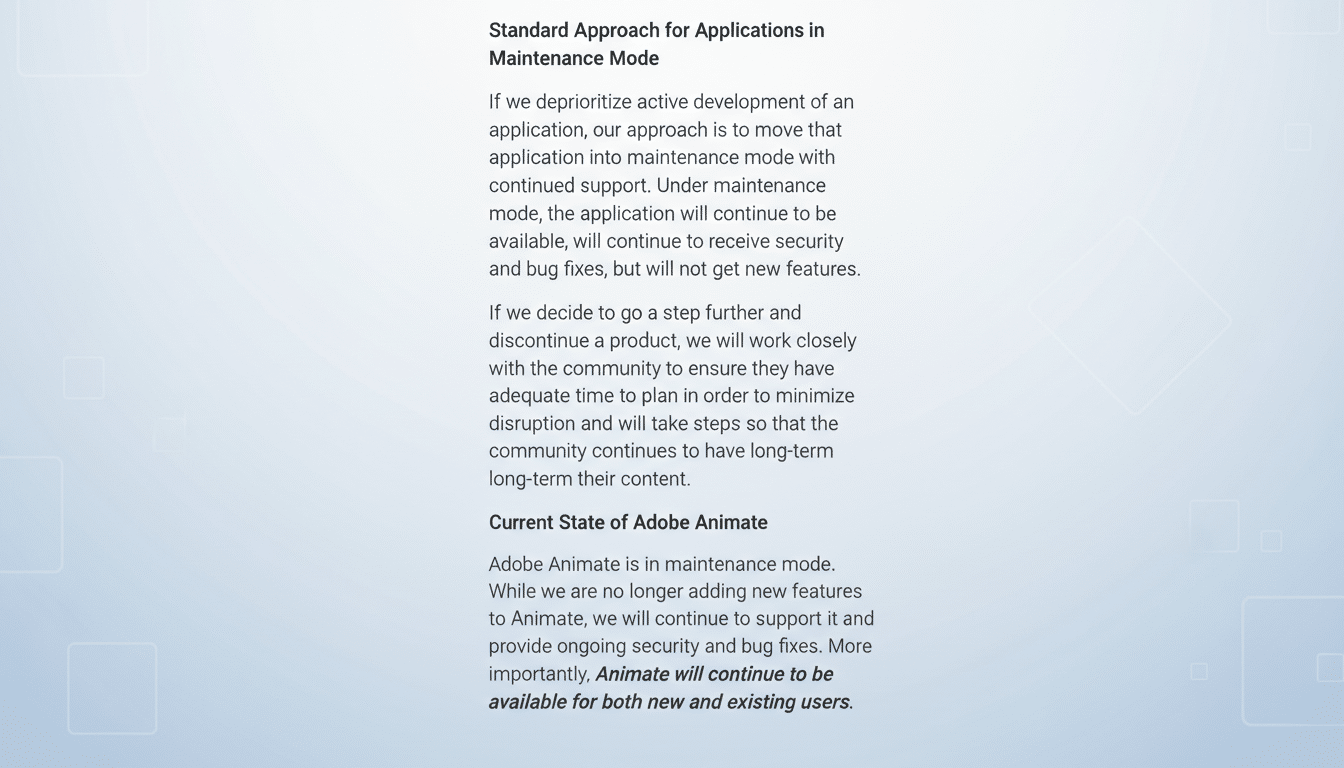
Adobe has reversed course on plans to discontinue Adobe Animate, committing to keep the long-running 2D tool available for new and existing customers while moving it into maintenance mode. The company says it will continue security and stability updates, but no new features are on the roadmap.
Why Adobe backtracked on plans to retire Animate
The company initially signaled an end-of-life for Animate, citing a strategic shift toward newer technologies and AI-infused products. The announcement triggered a swift backlash on social platforms and user forums, where educators, indie creators, and studio artists argued that Adobe offered no true like-for-like replacement.
Animate’s value is specific: vector-first, timeline-driven animation with symbol-based rigging, tight audio sync, and robust export for HTML5 and video. That combination underpins workflows for explainer videos, motion graphics, web series, and classroom instruction—areas where a patchwork of tools can add cost and complexity.
Users pointed out that the product is the rebranded successor to Flash Professional and remains embedded in many pipelines. Public posts urged Adobe to open-source the code or guarantee long-term access, underscoring the operational risk of a hard cutoff for projects in progress and archived files.
What maintenance mode means for Adobe Animate users
Maintenance mode keeps Animate downloadable and licensable for individuals, small businesses, and enterprises. Adobe says it will deliver security patches and bug fixes, with support channels intact, while pausing feature development. In plain terms: you can keep working, but you should not expect new capabilities or major UI changes.
Practically, that matters for compatibility. OS updates, Creative Cloud dependencies, and codec shifts can break older apps; maintenance coverage indicates Adobe plans to address critical issues that would impede usage. It also lowers the risk of file-access problems for long-lived projects and institutional archives.
Pricing for Animate has historically been offered as a standalone subscription and as part of certain Creative Cloud plans. Adobe’s statement confirms continued availability to new users, which helps schools and studios onboard talent without retooling curricula midstream.
Impact on creators and classrooms using Adobe Animate
For educators, a sudden retirement would have forced a rapid shift to other software just as semesters were underway. Maintenance mode provides a buffer to adjust lesson plans, retrain staff, and plan asset migrations without derailing coursework. Career and technical education programs in particular rely on Animate’s approachable vector workflow.
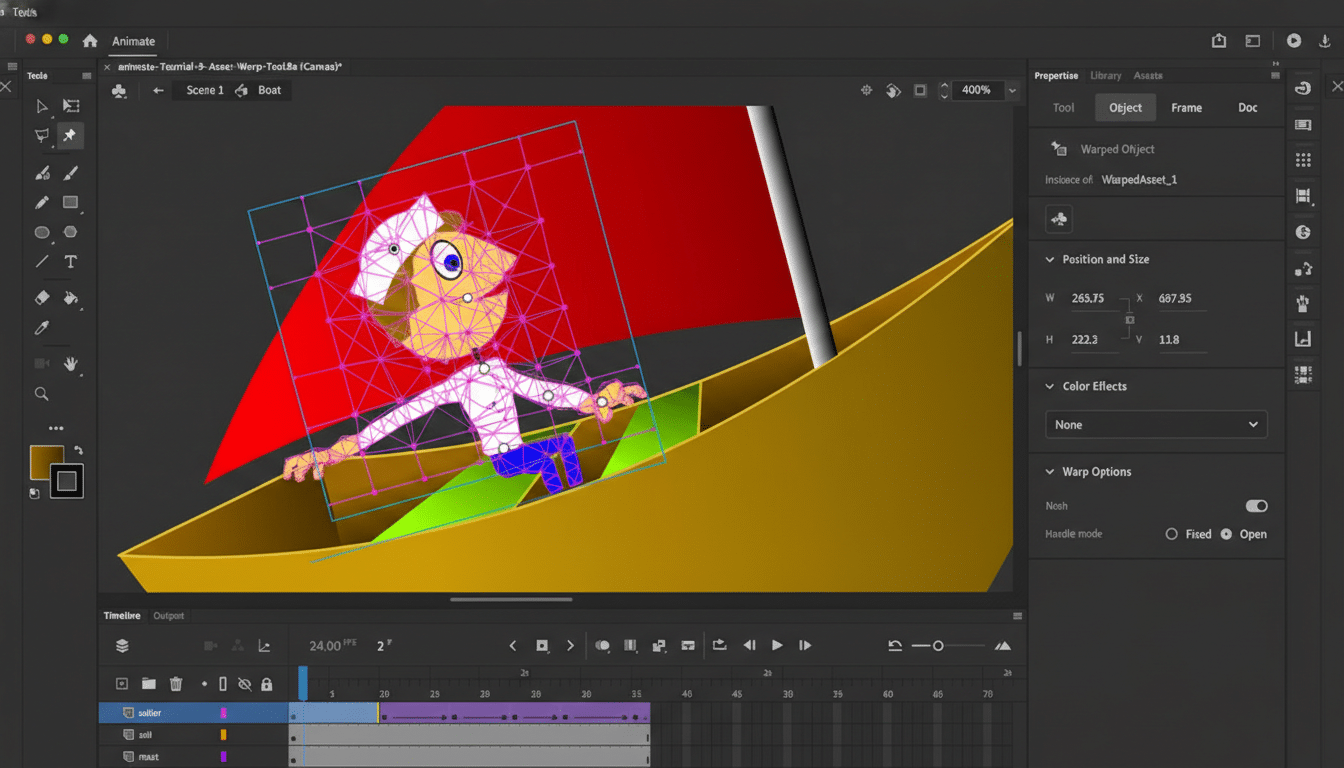
Independent creators and small studios, which often operate on tight margins, face the highest switching costs. Animate’s symbol libraries, nested timelines, and scene setup enable fast iteration; replicating that speed with compositing tools or node-based systems can be challenging without rewriting pipelines.
It also preserves continuity for teams that still deliver interactive or web-optimized assets. After the deprecation of the Flash Player, Animate evolved to target HTML5 Canvas, WebGL, and video exports, ensuring older skill sets translated to modern formats. Maintenance mode continues that bridge, even as the company concentrates on AI-led initiatives elsewhere.
Alternatives to Animate and the road ahead for teams
Adobe has suggested using After Effects for complex keyframing and rigging via tools like Puppet, and Adobe Express for simple motion on graphics. Those recommendations cover slices of functionality but not the full Animate package, especially for vector rigging, timeline interactivity, and symbol workflows.
Third-party options exist. Toon Boom Harmony dominates in broadcast and long-form 2D pipelines with advanced rigging and deformation. Moho Pro is popular for character animation at an accessible price point. Game studios often rely on Spine or DragonBones for 2D skeletal animation. Open-source choices such as OpenToonz and Synfig can fill specific niches, though they may demand more technical setup.
Users have floated the idea of Adobe open-sourcing Animate, but that is complicated by proprietary code, licensed components, and legal constraints. Maintenance mode offers a pragmatic middle path: stability for current customers while signaling that the company’s feature investment is moving elsewhere.
The takeaway for teams is to treat Animate as a steady, supported legacy tool and begin evaluating future stacks on a timeline that fits business or academic calendars. For Adobe, the swift reversal shows how crucial clear migration plans and true equivalency are when sunsetting creative software that underpins real-world production.