

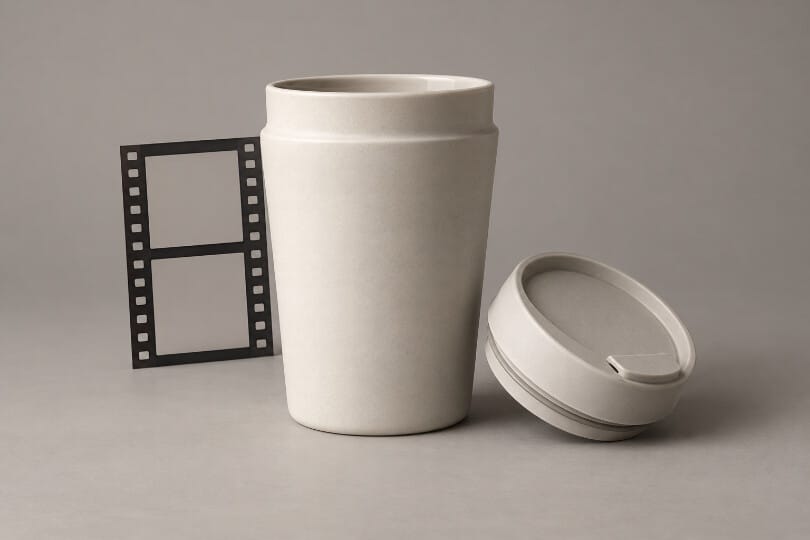
A travel cup turns toward the camera, its lid opens, and a stream of liquid pours neatly into another vessel. The sequence looks like a product demonstration. But if the lid opens in a way the real cup cannot, the clip has changed from an attractive presentation into an inaccurate account of how the object works. A small invented movement can carry a much larger claim than the creator intended.
Anyone using an AI video generator for product imagery should identify the verbs in the proposed scene before approving the visuals. Rotates, opens, seals, charges and folds describe different kinds of evidence. Some movements simply reveal an object. Others suggest a function that needs verification outside the generated clip.
Identify the Product Claim Hidden Inside the Action
Start by describing the clip without promotional language. A cup is not merely showcased; its lid turns, liquid passes through an opening, and the container is tilted without leaking. Those actions can imply compatibility, ease of use or performance. The viewer does not need an explicit written promise to form an expectation about the real item.
For a hypothetical campaign, separate the actions supported by the actual product from the atmosphere added around it. A changing background or slow camera move may create a mood without asserting a new function. An automatic lid movement is different. If the product requires a manual step, omitting it may change what the audience believes they are seeing.
MakeShot provides an image-to-video route for animating a source picture. Starting with a real product photograph can establish a visual reference, but the photograph does not contain proof of every action the video might invent. The movement still needs review against the object and its verified information. Check the lid and pouring motion separately before approving the sequence.
Write the intended action in the brief and name the evidence that supports it. That evidence might be a recording of the real product being used or a relevant manufacturer instruction. If nobody can provide it, narrow the scene to a presentation shot. Generating a more convincing version of an unsupported action does not resolve the missing evidence.
How Camera Movement Differs From a Functional Demonstration
A camera moving around a stationary object can reveal surfaces without claiming the object performs a task. Even that apparently simple shot needs inspection: a hidden side might acquire an extra button, a seam could move, or the proportions could change. The appropriate check is visual fidelity to the real item, rather than a test of its performance.
A functional demonstration asks more. The order of actions matters, along with the parts involved and the conditions under which the action occurs. If a cup must be assembled before use, a clip that skips that step may be acceptable as a decorative excerpt but misleading as an instruction. The surrounding title and narration determine how viewers are likely to read it.
MakeShot can help explore presentation ideas while the team decides which shots need actual footage. For example, an imagined background may be useful for discussing a campaign mood. The pouring sequence can remain reserved for a real recording. Dividing the shot list this way lets the creative work proceed without treating every attractive output as a demonstration.
Look at the combination of picture and copy. A neutral rotation paired with a claim about leak resistance may still be read as evidence for that claim. Conversely, a clearly labelled concept study may permit imaginative movement that would be inappropriate in an instruction. Review the complete asset in its intended context, not only the isolated video file.
Send the Disputed Action Back to the Actual Product
If a reviewer questions the lid motion, do not ask the generator to make it more realistic as the first response. Find out how the real lid works. Identify the hinge, thread, latch or removable part involved, using the actual item and its documentation. That resolves the product question before another visual interpretation is introduced.
A video generator AI output can be retained as a creative reference while the disputed action is replaced with recorded footage. This is a production choice, not a failure to use the technology fully. The strongest asset may combine a restrained generated setting with an accurate demonstration captured separately, provided the final composition does not introduce a new misleading impression.
When recording is not available, remove the unsupported action or postpone the asset. A stationary presentation can still communicate colour, general form and the intended mood, subject to checking those visible details. It cannot quietly take on the role of a use demonstration simply because the campaign needs another moving clip.
For a handoff between a marketer and an editor, retain the short action description beside the verified recording. If the requested cut shows the lid opening, the editor should know which footage demonstrates that movement and which image merely establishes the colour treatment. A filename such as final-approved is insufficient when approval concerned only the background. State the scope of the approval in the production record so an appearance decision cannot silently become approval of the product behaviour.
Keep the reason for rejection attached to the candidate. “Lid rotates in the wrong direction” is useful for the next editor; “not quite right” is not. The note should identify the product fact at stake and the evidence needed to settle it. That prevents a later reviewer from selecting the rejected version because it happens to look smoother.
Check the final cut after any substitution. An edit can remove an essential step even when each individual shot is accurate. A change in angle can also make two different product states appear continuous. Watch the sequence as a customer would and ask what action it seems possible to perform from start to finish.
Watch once without the voice-over as well. If the silent action appears to promise automatic operation, adding a careful spoken explanation may not resolve the visual impression. Change the shot or its framing so the image itself does not contradict the intended account.
The person approving the clip should be able to explain which parts are illustrative and which parts show verified use. If that distinction requires a long private explanation, consider simplifying the asset. Viewers will not have the production notes beside them. The public wording and visible sequence must carry the necessary context on their own.
Approve a Presentation Without Upgrading It Into Proof
MakeShot is useful for exploring how a product might be presented in motion. Use that freedom for framing and atmosphere, while keeping claims about operation tied to the real product. A generated clip should not become the evidence for a function merely because it resembles a demonstration.
Before release, read the action verbs one more time and inspect the finished asset beside the supporting material. Remove any movement that promises more than the evidence establishes. If the clip is a concept, say so plainly; if it is a demonstration, make sure the demonstrated action is real and accurately shown.