


Google’s next-gen Pixel Weather app for Wear OS is coming together, and early peeks indicate that it’ll be a thoughtful rebuild built around glanceable info, smooth navigation, and Pixel-exclusive polish. Although the app is likely to launch alongside the next Pixel Watch, enthusiasts have already sideloaded it onto Wear OS 6 devices and we now have a clearer idea of what’s coming.
The timing is notable. Google recently ceased support for its outdated Weather app on new installs of Wear OS 6 and above, signaling a shift toward either brand-first or this Pixel-branded one. It’s essentially the aftermath for Pixel Watch users and anyone daring to try the APK — and this is some serious Material 3 Expressive design stuff.
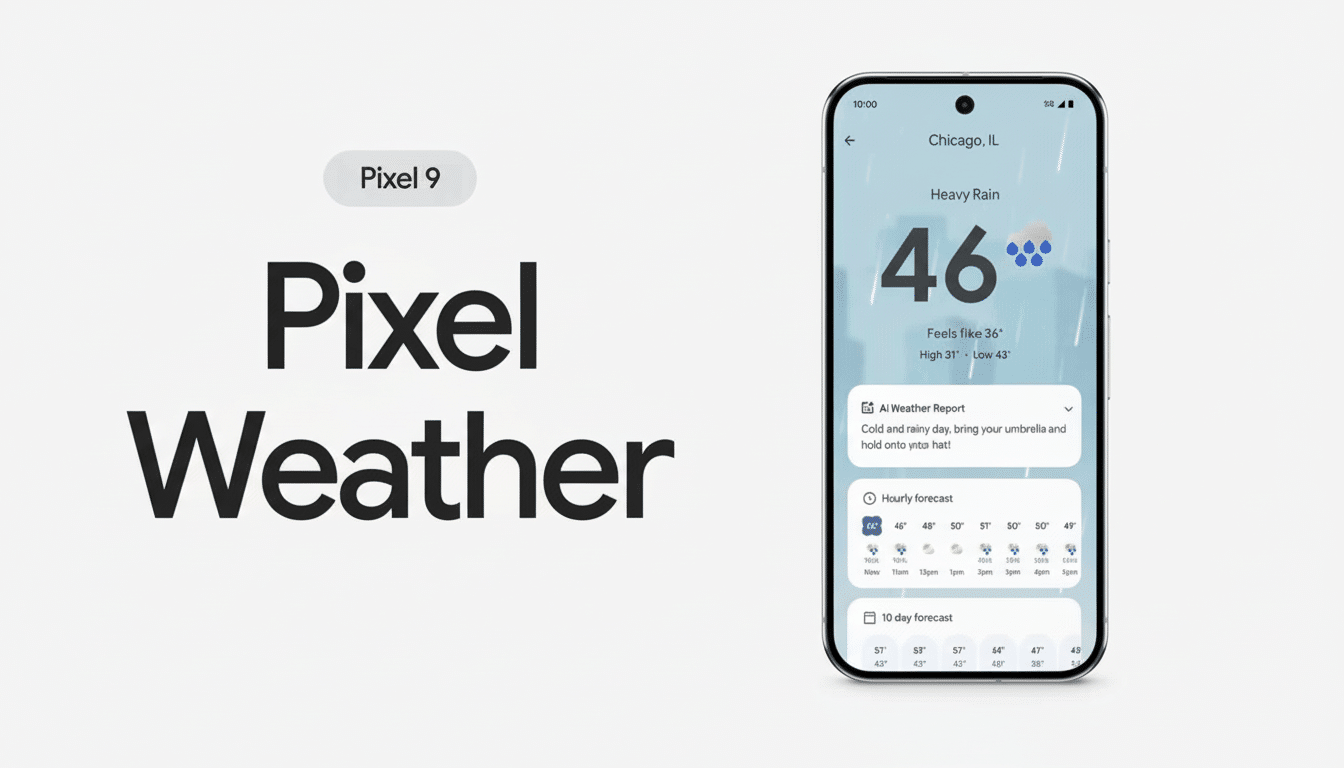
Material 3 Expressive design refined on the wrist
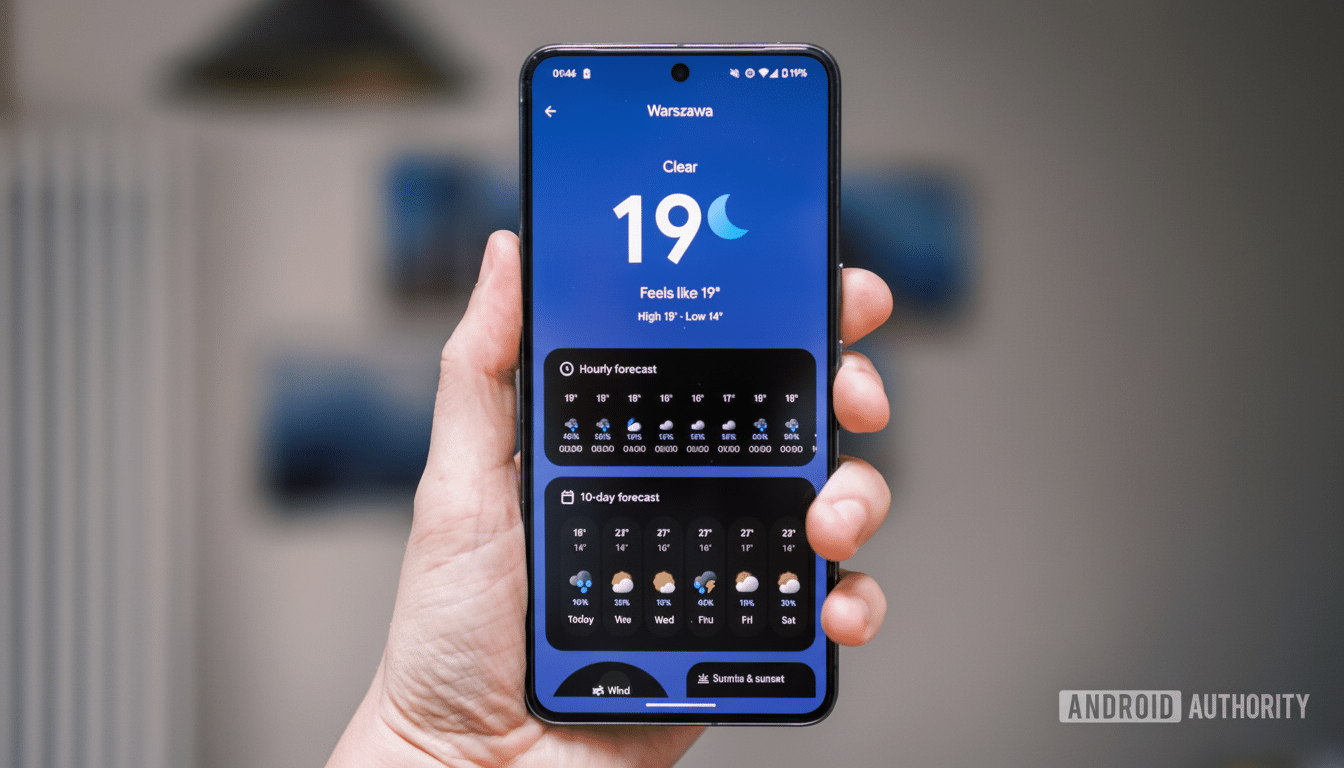
The interface takes on Google’s most recent design language with vivid color, adaptive theme, and high-contrast cards. Type is now larger and more readable at a glance, elements are trendier-looking instead of potentially nuking your battery life with huge fonts and an unwieldy layout that forces you to keep scrolling up and down in lists using the crown or touch swipes. It’s unmistakably Pixel: minimalist, playful, and useful.
And you’ll find a full complement of essentials within the app: current conditions with real-feel temperature, hour-by-hour forecast, multiday outlooks, chances for precipitation, times for sunrise and sunset, UV information, and air quality.
Early users note a smoothness to transitions between sections; subtle haptics and micro-animations lend an experience that feels cohesive rather than just a bunch of screens sewn together.
More crucially, preferences for units get surfaced where you’d expect them. Temperature and precipitation units can be adjusted without digging into phone settings, which is a small but useful change for travelers or anyone who likes metric on the wrist and imperial on the phone (or vice versa).
Features and Tiles Built for Glanceability
Outside of the app itself, new Tiles offer quick access to information you check most. There are specific Tiles for Weather, UV, and Sunset, with all providing brief metrics and a quick tap-through to further details. On-wrist weather is consistently one of the top smartwatch use cases — consumer surveys from companies like YouGov and NPD always have mobile weather checks near the top of daily interactions — so Tiles are at least as important as the app itself.
The UV Tile, in particular, is a fantastic addition. It will surface risk levels using the standard global scale and can nudge behavior in real time — say, sunscreen reminders on a midday run. The Sunset Tile, on the other hand, is aimed at hikers and commuters who schedule around daylight: it’s a quick read without having to wake up the phone.
Look for third-party complication support to follow the watch-face guidelines, though availability may differ by watch and face. As with other Pixel-first apps, some cosmetic flourishes might still be exclusive to Google’s watches even if the core APK runs elsewhere.
Data sources and reliability behind Pixel Weather
Though Google did not provide a complete picture of the data pipeline for the Wear OS app, its weather products are usually a mix of data from national meteorological agencies and partners, with air quality from technology that comes courtesy of BreezoMeter — which is now owned by Google. The UV index is based on the international standard adopted by many health organizations, including the World Health Organization and national environment agencies.
On-device behavior implies scheduled updates optimized for battery life, with more frequent refreshes during active use. Where supported, you’ll also find minute-by-minute precipitation nowcasting (on par with what Pixel phones can offer), provided in partnership with The Weather Company; country-specific and data quality–dependent.
Availability and compatibility across Wear OS
The app is said to come preinstalled on the next Pixel Watch. While the Play Store listing could restrict official downloads to the new Pixel Watch line at launch, the APK file can be sideloaded onto other Wear OS 6 watches. Testers have had early success installing this onto non-Google-branded Fossil watches. Of course, as with sideloading in general, there are some caveats: some integrations or Tiles may not show up, and updates aren’t promised.
This rollout comes as Google has retired the old Wear OS Weather app for fresh installs on newer versions. For those using third-party Wear OS watches, the short-term alternatives continue to be brand-specific apps or respected third-party options from the Play Store. The new Pixel Weather app, though, seems to want that position for Google’s own hardware.
Why this app matters for Wear OS and Pixel watches
A more polished weather experience sounds small, but it’s really at the heart of why people wear smartwatches to begin with: fast, reliable information with as little hassle as possible. Analyst reports from Counterpoint Research and IDC both found the big three use cases for smartwatches to be notifications, fitness tracking, and weather apps in terms of driving daily engagement and retention.
By harmonizing Material 3 Expressive design on phones and watches, Google is starting to close the Pixel ecosystem in a way you can see any time you leave the house. If those early impressions hold, Pixel Weather for Wear OS won’t just fill a vacuum left by an app heading for retirement — it’ll raise the bar for how good weather should look and feel on the wrist.